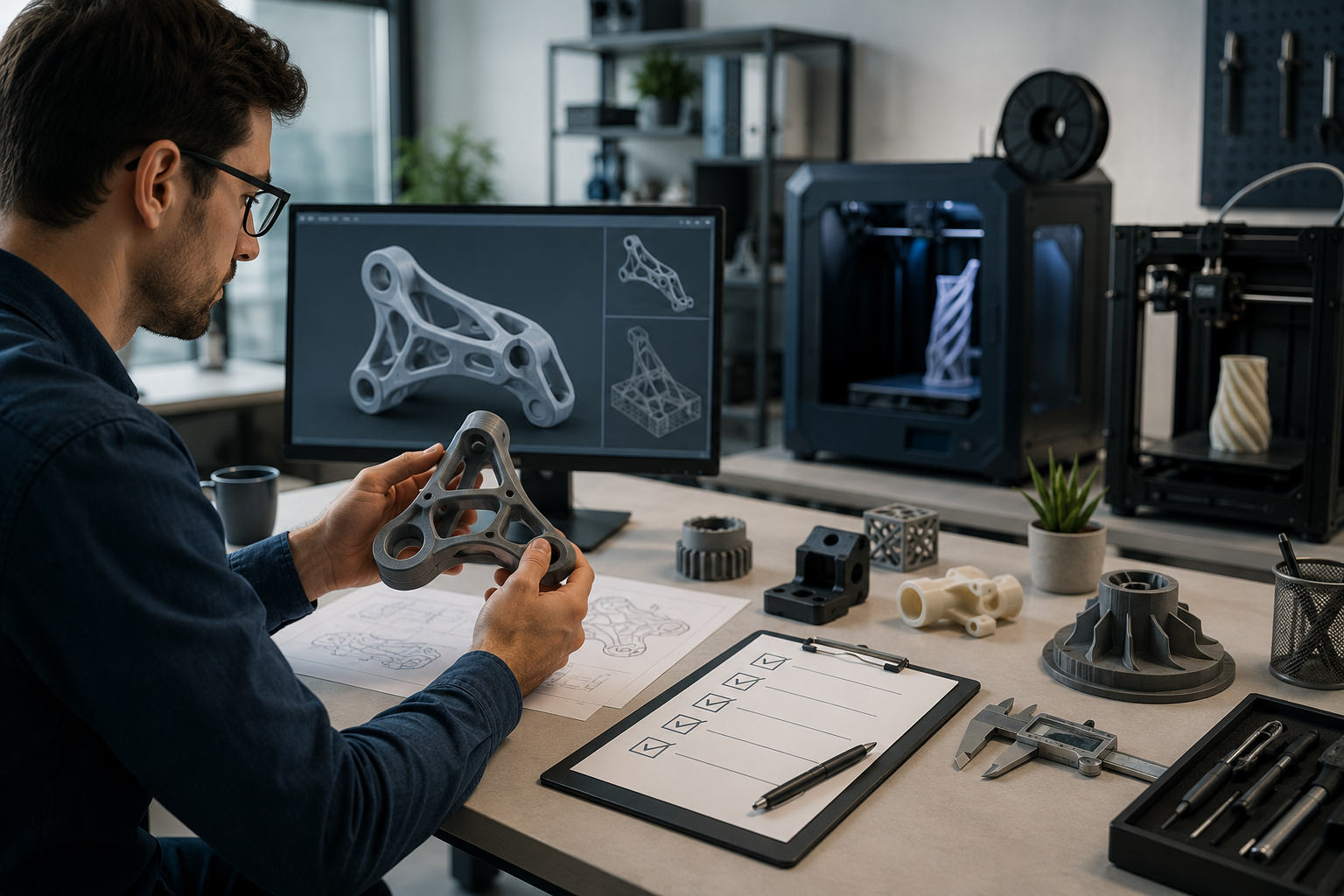

How to Reduce SLA 3D Printing Costs Without Sacrificing Part Quality
Listen to Content
SLA 3D printing cost can be reduced by removing unnecessary material, using suitable wall thickness, improving part orientation, limiting support, choosing the correct resin, and requesting only necessary finishing. Each change should be checked against the part’s strength, accuracy, appearance, and intended use.
The same steps can lower resin 3D printing cost without creating fragile features or increasing the risk of print failure.
What Factors Affect SLA 3D Printing Costs?
SLA printing cost generally depends on the amount and type of resin required, model dimensions, build height, layer height, support volume, production time, and finishing requirements.
Thin walls, trapped resin, unsupported features, or invalid geometry may increase failure risk. Quantity, inspection, delivery speed, and manual support removal can also affect the final price.
Ask the SLA 3D printing service provider what is included in the quote instead of assuming that price is based only on resin volume.
|
Cost Factor |
Why It Affects Price |
Possible Action |
|
Resin volume |
More material is required |
Remove unnecessary solid volume |
|
Build height |
May increase production time |
Review part orientation |
|
Supports |
Require resin and removal |
Limit supports without risking stability |
|
Layer height |
Fine layers may take longer |
Use only the resolution required |
|
Finishing |
Adds manual processing |
Select necessary finishing only |
Reduce Material Usage Through Better SLA Part Design
Material-saving design changes can reduce SLA 3D printing cost, but they should not weaken load-bearing or functional areas.
Hollow Thick or Oversized Parts
A thick or oversized model may not need to remain completely solid. Hollow SLA prints can use less resin when the internal volume does not provide a functional benefit.
Do not hollow structural sections without reviewing expected loads, impacts, mounting points, and assembly forces. Shell requirements vary according to the part’s size, geometry, resin, and application, so one thickness cannot be applied to every model.
Add Drainage and Vent Holes
Hollow models need openings that allow uncured resin to drain safely. Trapped resin can add weight, create internal pressure, interfere with cleaning, or damage the finished part.
Drainage and vent holes should be positioned according to print orientation and internal geometry. Follow the provider’s verified requirements for the number, size, and placement of these openings.
Use Suitable Wall Thickness
Excessively thick walls may consume resin without improving performance. Walls that are too thin may deform, crack, or fail during printing and support removal.
Review SLA wall thickness together with feature size, orientation, resin behavior, and expected load. Reinforce critical areas locally instead of making the complete part unnecessarily thick.
Optimize Part Orientation and Support Structures
SLA print orientation affects build height, support placement, resin flow, dimensional accuracy, and visible surface quality. The orientation that uses the fewest supports is not automatically the best choice.
SLA support structures consume resin and require removal after printing. Contact points may leave marks that need sanding or polishing.
Position important cosmetic and mating surfaces away from avoidable support contact. The selected orientation must also keep the model stable during production and allow resin to move away from cavities.
A balanced orientation can limit supports and finishing without increasing print failure risk.
Balance Layer Height, Print Quality, and Price
SLA layer height affects detail, surface appearance, and expected production time. Fine layers may improve small features and reduce visible stepping, but they may require more layers to complete the build.
Use fine resolution for presentation models, intricate details, or surfaces where appearance is critical. Standard resolution may be sufficient for general prototypes and functional models.
Faster settings may suit larger visual parts when the selected equipment, resin, and provider support them. Choose the resolution the part needs instead of automatically requesting the finest setting.
Choose SLA Resin Based on Actual Part Requirements
SLA resin cost varies according to the properties and intended use of the material. Avoid paying for specialized performance that the part does not require.
Select resin according to:
- Strength and stiffness
- Flexibility or impact resistance
- Heat and chemical exposure
- Transparency or appearance
- Dimensional stability
- Functional testing requirements
A standard resin may suit visual prototypes and concept models. Functional parts may require engineering resin selected for specific mechanical or environmental conditions.
The lowest-cost resin can become expensive if the part breaks during testing or fails in its intended environment. Compare material performance with the application before approving the order.
Prevent Expensive Print Failures Before Ordering
Clean SLA file preparation can reduce revisions, delays, and wasted material. Confirm that the model uses the correct dimensions and measurement units.
Check that it is watertight and free from missing faces, intersecting surfaces, and invalid geometry. Review thin walls, small details, unsupported areas, cavities, and drainage holes against applicable SLA design guidelines.
Export the model at enough resolution to preserve curves and details, but avoid excessive mesh density that creates a large file without improving the printed result.
A printable file reduces risk, but functional requirements should still be communicated to the provider.
Control Quantity, Tolerances, and Post-Processing Costs
Compare the price of one prototype with a small batch when the production quantity is already known. Do not assume a discount unless it appears in the verified quote.
Apply tight tolerances only to dimensions that affect assembly or function. Unnecessary requirements can increase review, inspection, and finishing work.
SLA post-processing may include support removal, sanding, polishing, painting, coating, or assembly when offered. Separate required operations from appearance-only upgrades.
A smoother SLA surface finish may be valuable for a presentation model but unnecessary for a hidden internal component. Standard delivery can also cost less than rush production when the schedule allows it.
When Should You Avoid Reducing SLA Printing Costs?
Do not reduce cost by weakening load-bearing areas, sealing surfaces, mounting points, or critical dimensions.
Required heat resistance, impact resistance, cosmetic surfaces, and functional testing needs should remain part of the specification. Medical, regulated, and safety-critical applications may require documented materials, inspection, and other controls.
Protecting SLA print quality and dimensional accuracy is more important than achieving the lowest quote. A cheaper part offers little value when it cannot perform its intended function.
SLA Cost-Saving Checklist
Before requesting an SLA 3D printing quote:
- Remove unnecessary solid volume.
- Use wall thickness suited to the application.
- Add drainage holes to hollow models.
- Review orientation and support placement.
- Select resin by required properties.
- Use a practical layer height.
- Validate the file before ordering.
- Request only necessary tolerances and finishes.
- Compare quote options before checkout.
Frequently Asked Questions
How much does SLA 3D printing cost?
SLA 3D printing cost depends on resin volume, model dimensions, build height, layer height, supports, quantity, finishing, inspection, and delivery speed. Review the complete quote because pricing methods and included services vary between providers.
Does hollowing an SLA model reduce the price?
Hollowing can reduce the price when it removes unnecessary resin from a suitable model. Structural areas may need to remain solid, and enclosed cavities require correctly positioned drainage and vent holes for safe production and cleaning.
Does SLA layer height affect printing cost?
Layer height can affect cost because finer settings may require more layers and production time. Select fine resolution for small details or important surfaces, and use standard settings when they meet the part’s functional and appearance requirements.
How can I reduce SLA costs without weakening my part?
Reduce costs by removing nonfunctional solid volume, optimizing orientation, limiting unnecessary supports, selecting suitable resin, and requesting only required finishing. Keep load-bearing areas, critical dimensions, mounting points, and application-specific material properties unchanged.
Get an Instant SLA 3D Printing Quote
Upload your CAD file to compare material, quantity, and design options through Champ3D’s SLA 3D Printing Service. Review the available specifications and choose those that meet your quality and budget requirements.